Skip to content

UGC production, start to finish

From brand brief to finished UGC. Fast.

Paste the brand brief, follow your personalized shoot plan, film with a live teleprompter, and let AutoEditor build the finished ads.

Private beta · opening to creators in small groups

  • Built for UGC creators
  • Brief-to-export workflow
  • Multiple ad variations
  • Live teleprompter
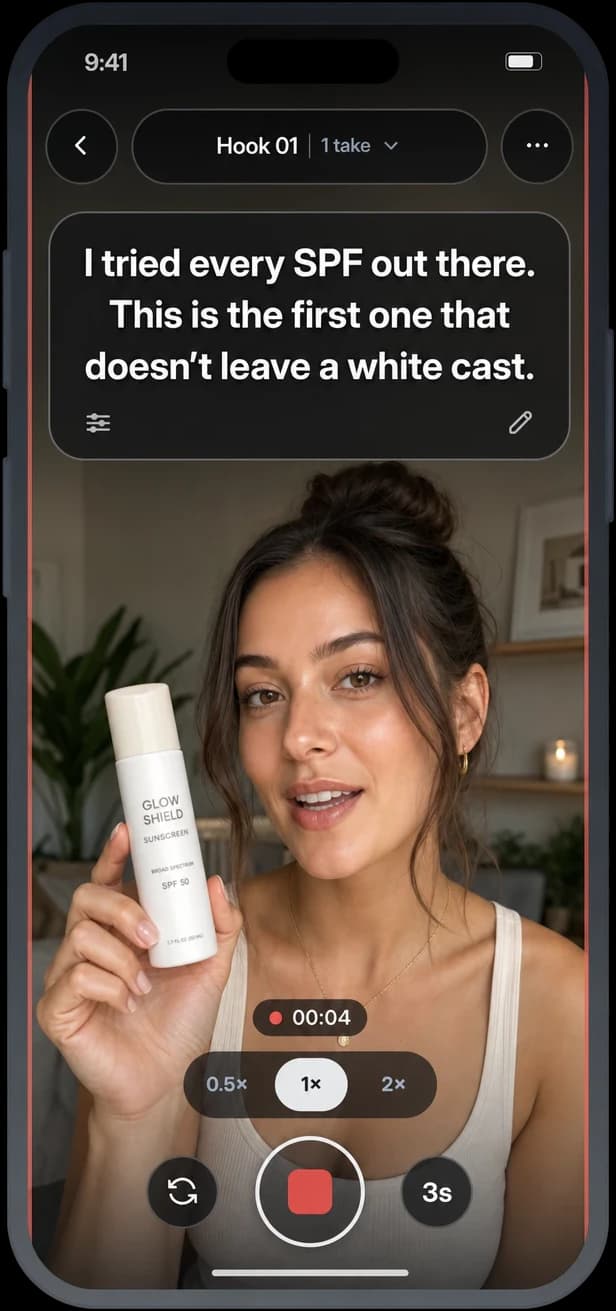
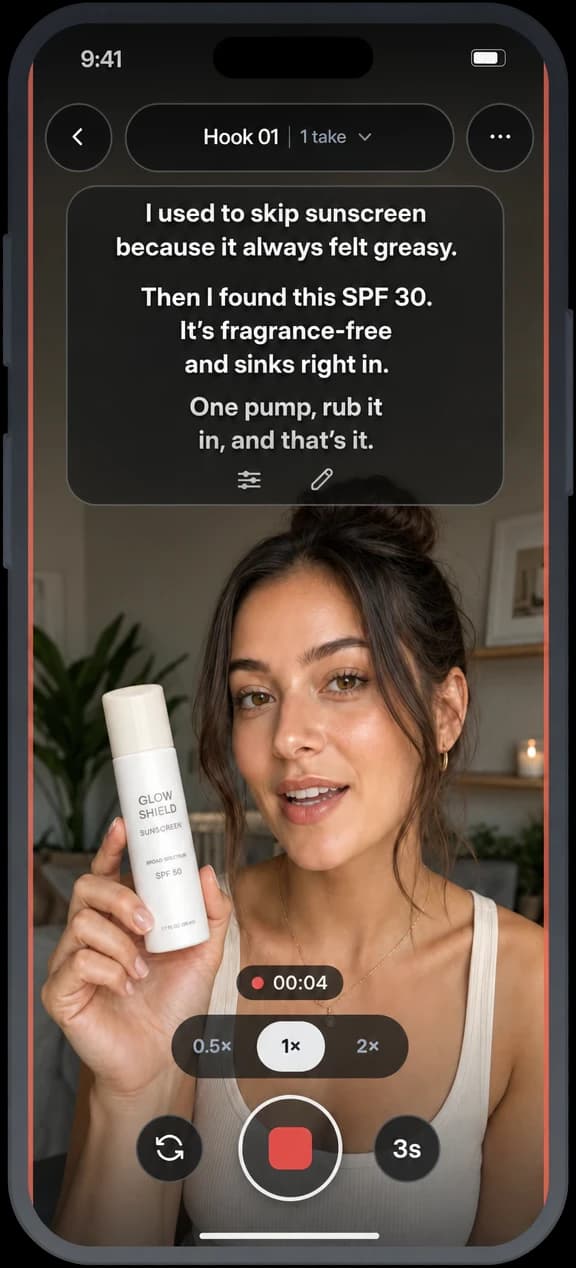
A creator filming a sunscreen hook in Shoot Mode, with the line to say on the teleprompter

Product demo

What the walkthrough covers.

One campaign, from brand brief to finished content.

Walkthrough video

The full product walkthrough is being recorded. Here’s what it will cover:

In the walkthrough

  1. BriefPaste the brand brief and see what it asks for, in its own words.
  2. PlanAutoEditor builds your shoot plan: hooks, a Story, CTAs and B-roll.
  3. ShootFilm each shot with the teleprompter, or upload clips you already have.
  4. Auto EditGet finished variations, one per hook, with captions and B-roll.
  5. DeliverCheck it against the brief, approve it and export a 1080×1920 MP4.

Plan and Shoot Mode are part of Creator Pro. On every plan, you can upload clips you’ve already filmed.

Shoot Mode

Live teleprompter

Film inside the app with your script on screen, so you can stay on message without breaking flow.

A creator filming a sunscreen hook in Shoot Mode, with the line to say on the teleprompter

Available on Creator Pro.

How it works

One workflow. Four steps.

Everything between the brand's email and the finished files, in one place.

  1. Step 01Brief

    Paste what the brand sent you.

    AutoEditor finds the campaign requirements and turns them into a creative plan.

  2. Step 02Shoot

    Follow the plan and film.

    Use your hooks, Story, CTA, B-roll list and live teleprompter, or upload clips you already filmed.

  3. Step 03Auto Edit

    Let AutoEditor build it.

    AutoEditor understands the footage and creates multiple finished variations.

  4. Step 04Deliver

    Review and export.

    Make final changes, check the brief, and send it off.

A closer look

The full workflow, built for creators.

Each step does the busywork, so you can spend your time on the part only you can do.

01Brand brief

Turn the brief into a plan.

Paste the campaign instructions and AutoEditor pulls out what matters: the points you have to hit, the CTA, the shots they want and what to avoid. Then it builds your shoot plan around them.

  • Required, preferred and avoid, in the brand's own words
  • A warning when your target length doesn't match the brief
  • Change how strict an item is, remove it, or add one it missed

Brief reading is on every plan. The shoot plan comes with Creator Pro.
02Shoot

Know exactly what to film.

AutoEditor gives you hooks, your Story, CTAs and a B-roll shot list. Open the camera for each shot and read from a live teleprompter while you record.

  • Hooks and CTAs one take at a time
  • Your whole Story in one continuous take
  • A quick read on each take, then the shot you still need when you upload
  • Already filmed? Upload your clips instead

Shoot Mode, take coaching and missing‑shot checks come with Creator Pro. Uploading clips works on every plan.

Shoot Mode with the full Story script on the teleprompter while the creator films

03Auto Edit

Let AutoEditor put it together.

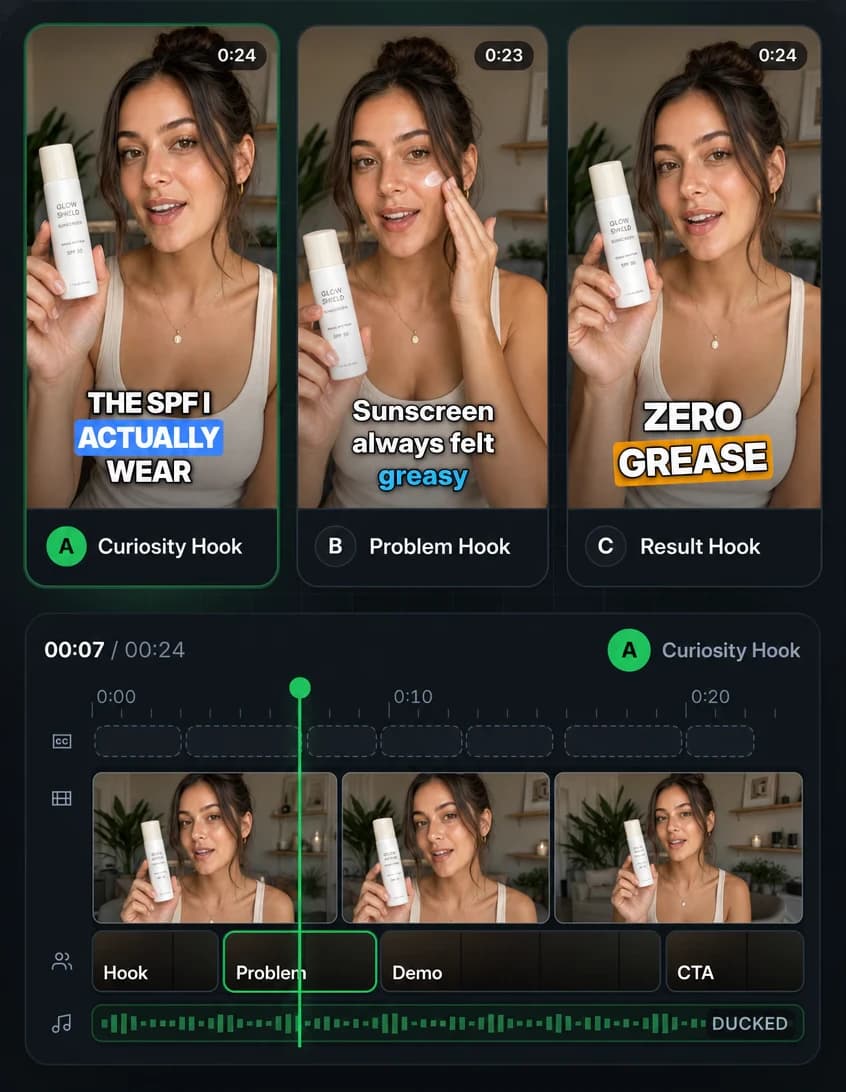
AutoEditor reads your dialogue and footage, finds the hook, story and CTA moments, and cuts finished ad variations with captions and B-roll.

  • Three variations by default, one per distinct hook
  • Word-timed captions in six styles
  • B-roll placed at the density you choose
  • Aims for your target length without cutting your hook or CTA
AutoEditor's editor: three variations with different hooks above variation A's timeline of captions, clips, story sections and ducked music

04Deliver

Finish it and move on.

Make final edits, check the edit against the brief, approve your favourite and export.

  • Trim, reorder, swap takes and restyle captions, with undo
  • Ask for a brand-new version of any variation, with your own direction
  • Brief Check shows what's covered and what's missing
  • Export 1080×1920 MP4s for TikTok, Reels and Shorts
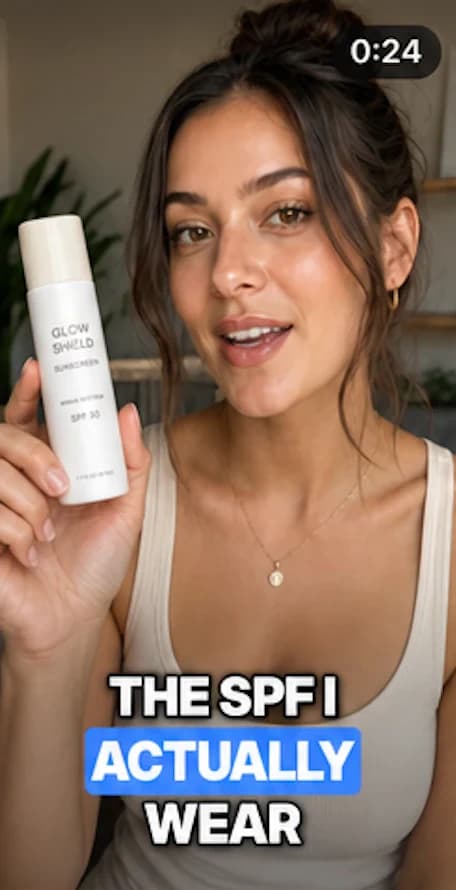
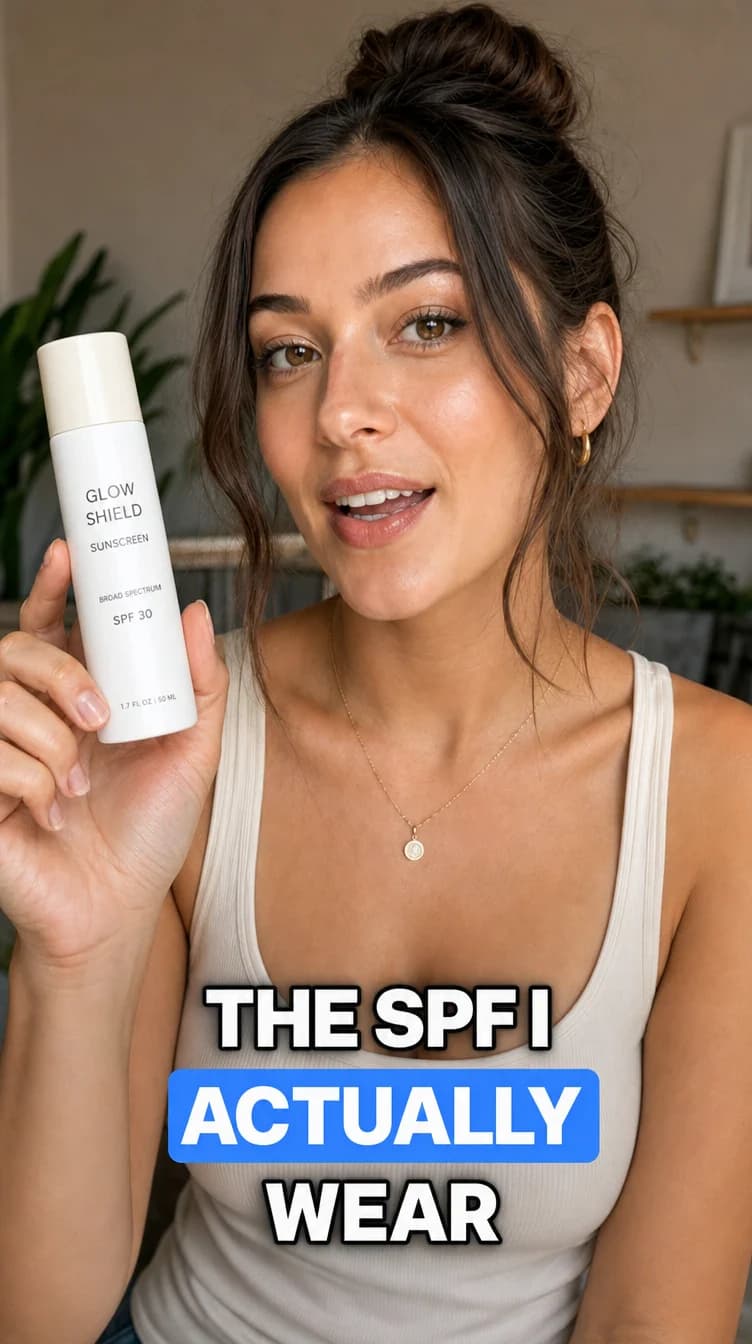
The finished vertical ad for variation A, opening on the caption “The SPF I actually wear”Example

One workflow

Stop stitching your workflow together.

Your campaign brief, shoot plan, teleprompter, footage, edit and final review all live in one workflow.

Keep your favourite tools for everything else. AutoEditor covers the path from brief to finished ad.

What you get back

Finish campaigns faster. Take on more work.

Less time planning, filming, cutting and checking each campaign means more room for the next one.

  • Plan faster

    Turn the brand brief into a clear shoot plan.

  • Film faster

    Know what to say and what to capture.

  • Edit faster

    Turn one shoot into multiple creative variations.

  • Take on more work

    Spend less time finishing each campaign.

Example project

One shoot. Multiple deliverables.

An illustration of how one planned shoot becomes several finished ads — not a measured customer result.

One planned shoot, three finished ads

Example

What you film

  • 4 Hooks Four ways to open the ad
  • 1 Story Filmed in one take
  • 2 CTAs Two endings to test
  • 10 B-roll clips Product, texture and routine shots
Auto Edit

What you deliver

  1. Curiosity hook: the creator holds up the sunscreen under the caption “The SPF I actually wear”Variation A Hook 1 · Story · CTA 1
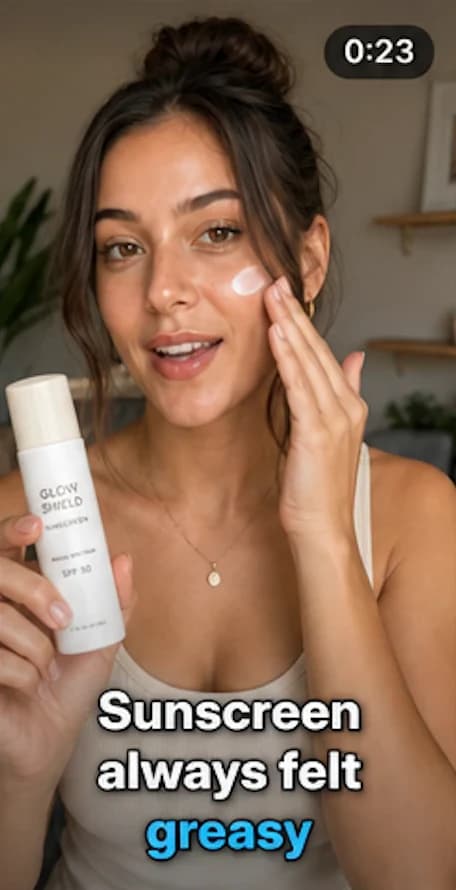
  2. Problem hook: the creator rubs sunscreen into one cheek under the caption “Sunscreen always felt greasy”Variation B Hook 2 · Story · CTA 2
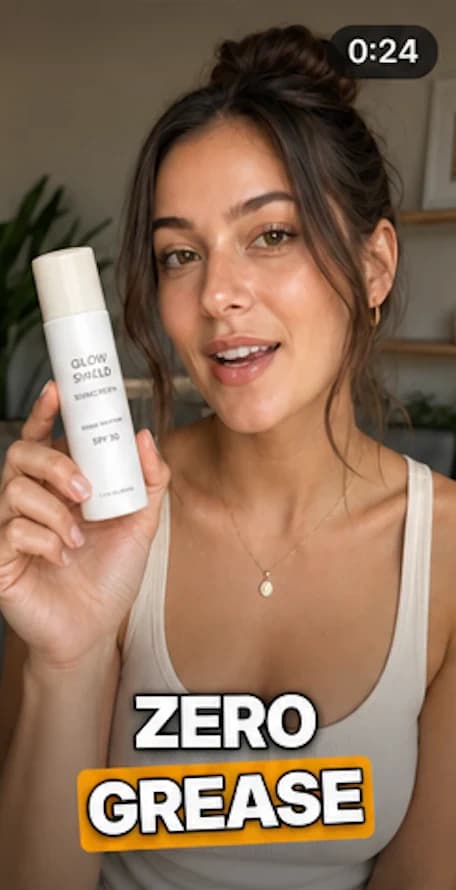
  3. Result hook: the creator holds up the sunscreen under the caption “Zero grease”Variation C Hook 3 · Story · CTA 1

Auto Edit makes three variations by default, one for each distinct hook, and tells you when your footage supports fewer.

Pricing

Plans for every kind of creator.

Planned launch pricing. Subscriptions open after the private beta — get early access to be first in line.

Private beta · subscriptions aren’t open yet

Creator

For creators who already have their footage and want it turned into finished ads.

$29 per month

Includes

  • Upload the clips you already filmed
  • Brand brief reading and Brief Check
  • Automatic transcripts and captions
  • Footage understanding and smart B-roll
  • Auto Edit into multiple ad variations
  • Re-edit any variation with your own direction
  • Editor and 1080×1920 MP4 export
  • Standard monthly allowances

Studio

For creators producing a lot more content every month.

$119 per month

Everything in Creator Pro, plus

  • Our highest monthly allowances
  • More projects every month
  • More footage processing and Auto Edit runs

Prices in US dollars. No free trial during the private beta. Monthly allowances for each plan will be published before subscriptions open.

  • Any brand brief

    Paste the brief from wherever the campaign came from.

  • Phone and desktop

    A web app. Nothing to install.

  • Vertical exports

    1080×1920 MP4s sized for TikTok, Reels and Shorts.

FAQ

Questions, answered.

Everything else about AutoEditor during the private beta.

Still curious? Request early access

What is UGC AutoEditor?

A workflow app for UGC creators. Paste a brand brief, upload your clips (or, on Creator Pro, plan your shoot and film with a teleprompter), and AutoEditor builds finished vertical ad variations you can review, adjust and export.

Do I have to film inside AutoEditor?

No. On Creator Pro, Shoot Mode gives you a shot list and a live teleprompter if you want them, but you can always film on your phone as usual and upload the clips. Everything after that works the same.

Can I upload footage I've already filmed?

Yes. Upload your clips (MP4, MOV, WebM and more) and drop them into Hooks, Story, CTA and B-roll. AutoEditor transcribes your talking clips and finds the moments it needs.

What does AutoEditor do with a brand brief?

It lists what the brand asked for — required talking points, the CTA, the visuals they want, what to avoid and delivery notes — in the brand's own words. That guides your edits (and, on Creator Pro, your shoot plan), and Brief Check shows what each edit covers. It's a guide, not an approval, so always give the final ad a last look against the brand's instructions.

Can I still edit the finished video?

Yes. Trim and reorder clips, swap takes, move or remove B-roll, restyle captions and adjust audio, with undo. On Creator Pro you can also ask AutoEditor for a change in a sentence.

Does AutoEditor create multiple variations?

Yes. Auto Edit makes three variations by default, one per distinct hook, and tells you when your footage can only support fewer.

What does it export?

Vertical 1080×1920 MP4 files, sized for TikTok, Reels and Shorts. You download them and post or send them yourself.

Can I use it on my phone?

Yes. AutoEditor is a web app for phone and desktop browsers, with nothing to install. On Creator Pro, Shoot Mode films with your phone's camera. Open AutoEditor in Safari or Chrome, because the browsers inside TikTok and Instagram block the camera.

Is there a free trial?

Not right now. We aren't offering public trials during the private beta. Request early access to hear if a spot opens for you.

When can I subscribe?

Subscriptions open after the private beta. The prices on this page are our planned launch pricing, and early access members will hear first.

Ready to create?

Your entire UGC workflow. One app.

Less busywork. More creating. Finish your next campaign faster.

Get Early Access
  1. Brief
  2. Shoot
  3. Auto Edit
  4. Deliver